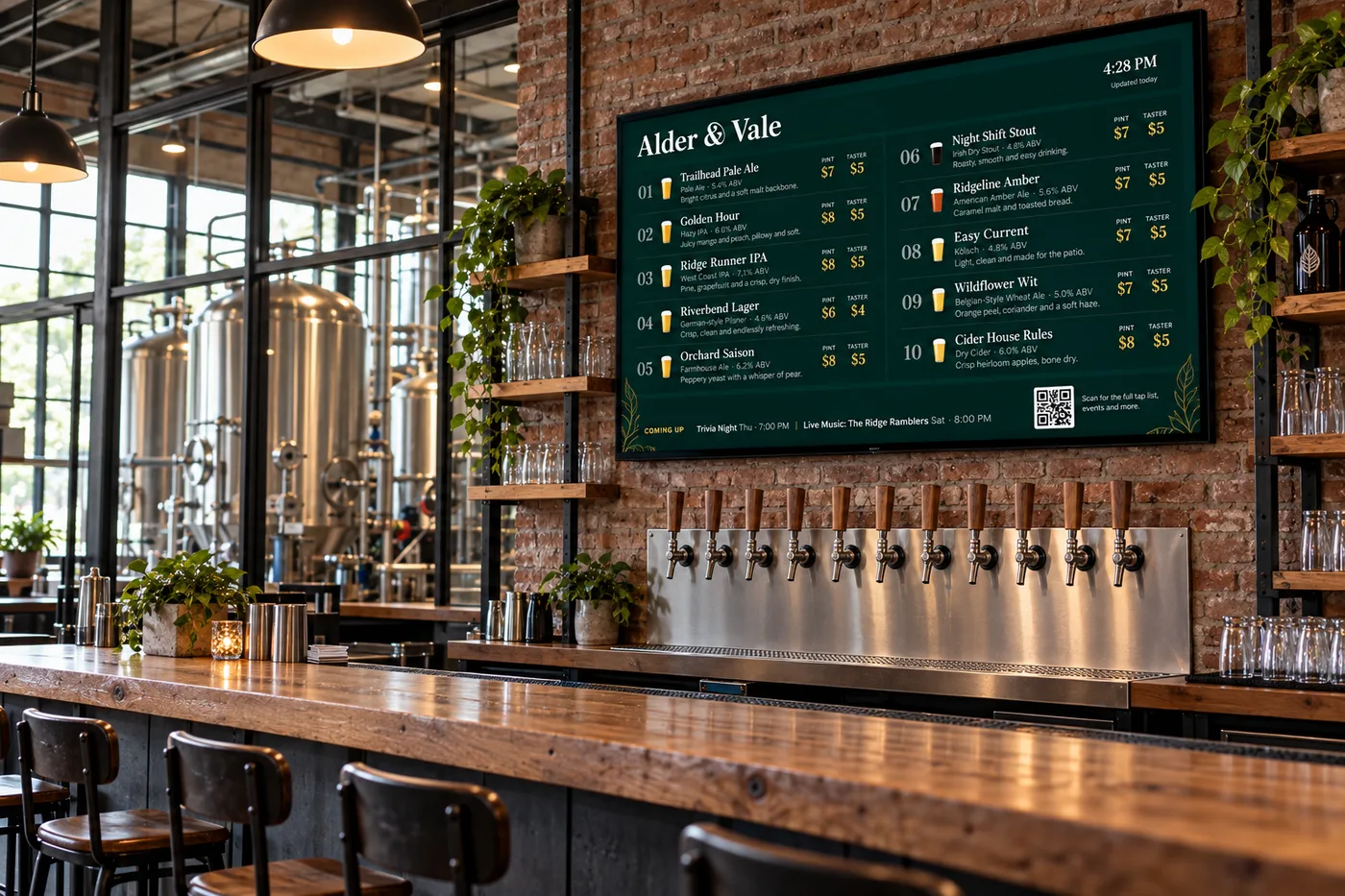
Free digital beer menu boards
Your tap list.
Worth looking up for.
Give your beers a place on the big screen.
Live sample menu
Your beer. Your brewery. Your look.
A tap menu should feel like an extension of your brewery. TapMarquee gives you the canvas to showcase your beers your way.
-
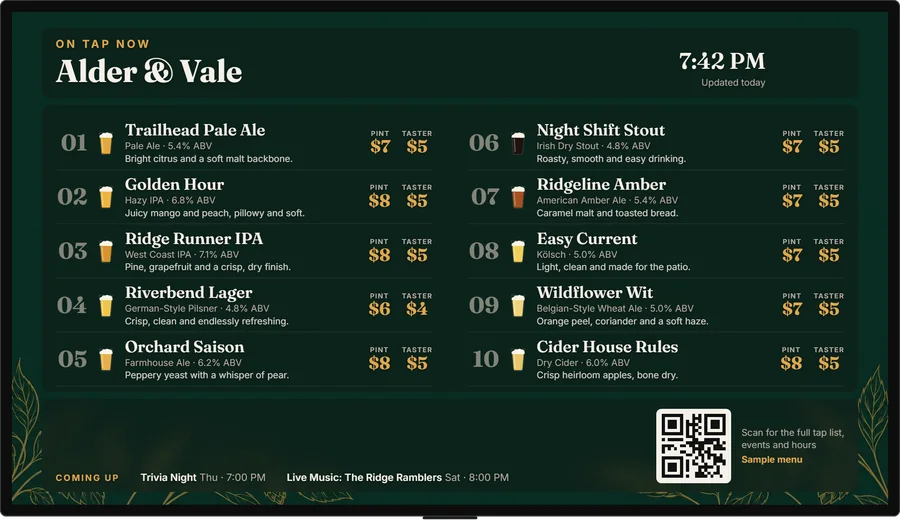
Clean & classic
Timeless and easy to read.
-
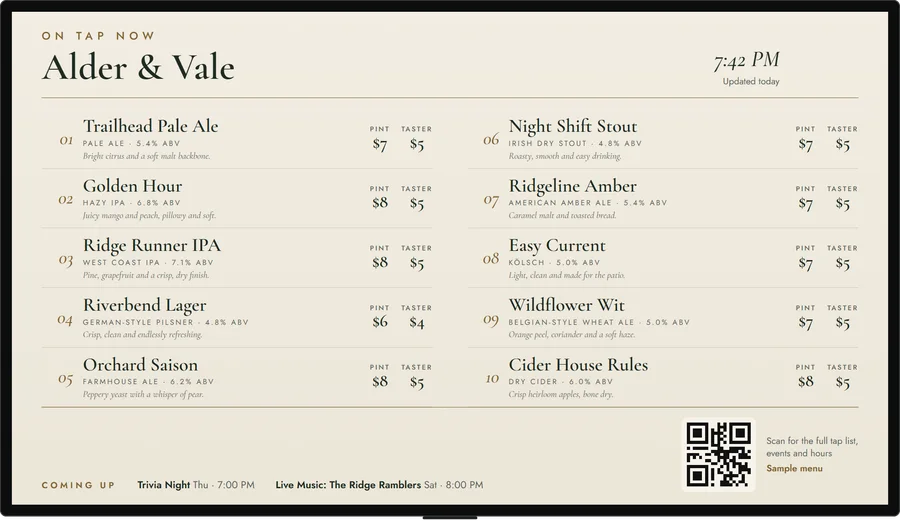
Bright & minimal
Clean, modern and versatile.
-
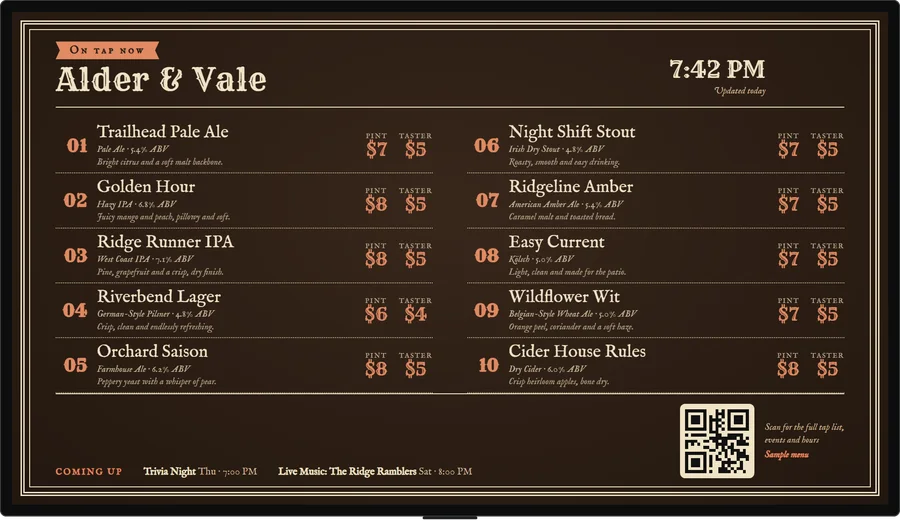
Warm & bold
A richer look for a distinct vibe.
-

Split-flap
A departures board. Letters flip in.
-
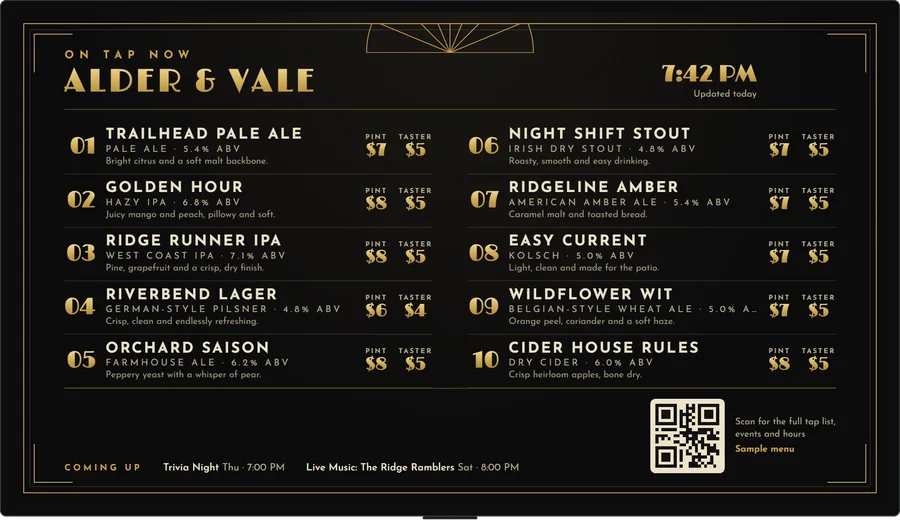
Speakeasy
Art Deco black and gold.
-
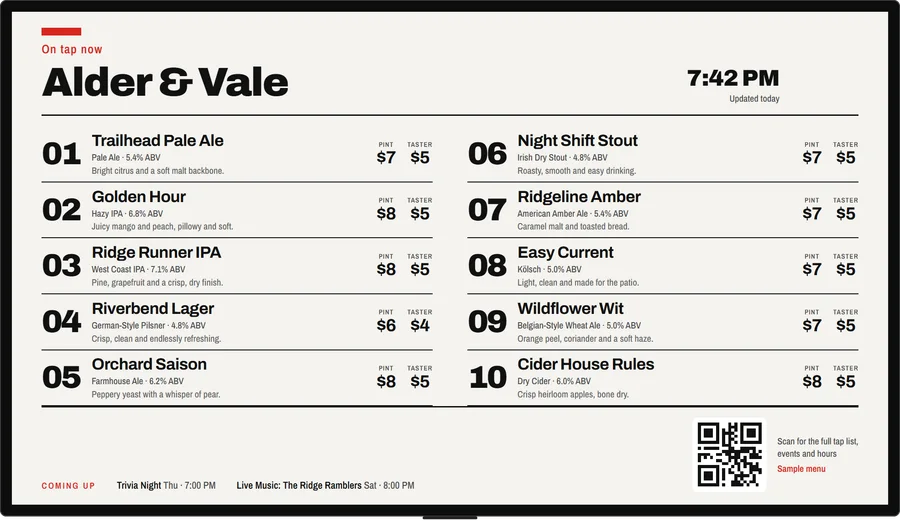
Swiss poster
Huge tap numbers on a strict grid.

Six of twenty looks. The rest, including seasonal ones that switch on by themselves, are waiting in your portal.
Features
Everything behind the bar.
Your board keeps up with the taproom, so you don’t have to.
Runs itself
Keg levels
Set a keg’s level from your phone and its glass fills to match, with “Almost gone” and “Just tapped” tags.
Happy hour
Prices drop and come back by themselves, at the days and times you set.
Coming soon
An “On deck” line for what’s next, and one tap to put it on.
Keeps going
It keeps showing if the Wi-Fi drops, and emails you if a TV goes blank while you’re open.
More than beer
Wine, cocktails, food and merch
Each in a section of its own, with photos.
As many TVs as you like
Split a long list across screens, give each TV its own job, or play them side by side as one wall.
Your brand
Your logo, your fonts and your colours.
For your guests and staff
Menu on their phone
A QR code opens your menu on guests’ phones, in big type or Spanish.
Guest ratings
Guests rate their beer with one tap, and the week’s favourite gets a tag.
Staff logins
Bartenders run the taps from their own phones, without your login.
Scan counts
See how often each QR code on your TVs is scanned.
Why TapMarquee
What the others charge for, free.
Most digital beer menu boards put the good parts on a paid plan and the TV behind their own app. Here’s where TapMarquee is different, from each company’s own website.
Every feature, $0
No trial clock and no upgrade wall.
Pourwall Premium is $30 a month, Taplist.io Pro $59, and BeerMenus’ board plan $99.
No app, no box
Open one link in any TV’s web browser.
Pourwall, Taplist.io and Untappd for Business run on their own TV app; DigitalPour’s board runs on a Windows mini PC.
Every TV in the room
Unlimited screens, each with its own look, or side by side as one wall.
Pourwall’s free plan and Taplist.io Starter cover one TV.
Website list and print menu included
Your live tap list on your website, plus a one-page menu with a QR code.
Pourwall and Taplist.io keep both on their higher plans.
Your staff, free
Up to 10 bartenders and managers, each on their own phone.
Pourwall adds team members on Premium; Taplist.io allows 4 seats on Pro.
We tell you when a TV goes dark
An email if a TV stops while you’re open, before a guest has to.
None of the five we compared lists an alert like this.
Where others are ahead: they can sync from a point-of-sale system or read keg sensors, and we don’t do either yet. See the full comparison.
Pricing
Free.
No card. No contract.
Every TV and every feature, at no cost. If we ever add paid plans, we’ll tell you before anything changes.
Unlimited TVs
Put your menu on every screen in the room, and give each its own look.
Any TV, no app
Open one link in the TV’s browser or a streaming stick. Nothing to install.
Website tap list
The same live list on your own website, plus a printable menu with a QR code.
Slides and video
Specials, events and short clips between screens, shown on the days and hours you pick.
How that compares
| Feature | TapMarquee | Pourwall | Taplist.io | Untappd for Business | DigitalPour | BeerMenus |
|---|---|---|---|---|---|---|
| Price | Free | Free Basic plan (1 screen). Premium $30/month per location, or $290/year | Starter $39/month (1 TV), Pro $59/month; less when billed annually | Not published (quote form) | Not published (quote form) | Digital Beer Boards plan $99/month, or $58.25/month billed annually |
| Number of TVs | Unlimited | 1 free, unlimited on Premium | 1 on Starter, unlimited on Pro | Not stated | Unlimited | Multiple screens on the Digital Beer Boards plan |
| What the TV needs | Any TV with a web browser, or a streaming stick with one. No app | Their app on Google TV or Android TV, a Fire TV Stick or a Chromecast | Their app on Fire TV, Amazon Signage Stick, Apple TV or Roku | Amazon Fire TV | A Windows mini PC or stick running their program; their web menu can also open in a TV browser | Hardware listed at $30 (device not named) |
| Where the beer list comes from | You type them into your own portal; in Virginia, it can also sync from the tap list on your website | You add beers, pre-filled from their database | You add beers from their database, or sync from your POS on Pro | You build menus from the Untappd beer database; POS integrations listed | You add kegs from their database; changes push out to your POS | You add beers from their database |
| Website tap list widget | Included | Premium plan | Pro plan | Yes (plan not stated) | Yes | Yes |
| Printable menu | Included: one page from your tap list, with a QR code | Premium plan | Pro plan | Yes, with custom styling on Premium | Yes | From their $79 plan |
| Promo slides | Included: pictures, your own words or short video clips, shown by day, hour and date | Image pages that rotate with the menu | Custom image ads on Pro | Image and video slides after each full run of the menu | An ad strip on the menu, scheduled by date and time | Specials slides, placed at the end, after each section or after every screen |
| POS integrations | Not yet | None mentioned | Pro: GoTab, Square, Toast, BrewBill, Clover, Genius | Toast, Square, GoTab and more | Many, including Clover, Square, Heartland, Lightspeed, Aloha | None mentioned |
Every figure for the other services comes from their own websites, checked October 16 and 17, 2026. Prices and plans change, so check with them before you decide. Sources: Pourwall (1, 2); Taplist.io (1, 2, 3); Untappd for Business (1, 2); DigitalPour (1, 2); BeerMenus (1, 2, 3).
How it works
On the TV in three steps.
Add your beers
Type them in once, then swap a tap from your phone in seconds.
Pick a look
Choose a design, add your logo and colours, and decide what shows: prices, specials, food and what’s coming next.
Put it on any TV
Open one link in the TV’s browser or on a streaming stick. No box to buy, nothing to install.
Questions
Good to know.
What does TapMarquee cost?
Nothing. Every TV and every feature is free, with no card and no contract. If we ever add paid plans, we’ll email you before anything changes.
Will it work on my TV?
If the TV or the stick plugged into it has a web browser, yes: Amazon Fire TV and Fire TV Stick, Samsung and LG smart TVs, Google TV and Chromecast with Google TV, or a laptop plugged in over HDMI. Roku, Apple TV and Vizio SmartCast have no web browser, so they need one of the others.
How many TVs can I use?
As many as you like. Give each TV its own look, split a long list across screens, or play TVs that hang side by side as one wall.
Can my tap list go on our website too?
Yes. The same live list goes on your own website from a short piece of code you paste once, and you can print a one-page menu with a QR code.
Can bartenders change the taps?
Yes. Add up to 10 staff, as bartenders or managers, and they run the taps from their own phones without your login.
What happens if the Wi-Fi drops?
The board keeps showing your last menu, and if a TV goes blank while you’re open, we email you.
Does it connect to my point of sale or keg sensors?
Not yet. You set keg levels by hand from your phone, and the glass on screen fills to match. If you need your register or keg sensors driving the board today, Taplist.io and DigitalPour do that on their paid plans.
Built for real breweries
Built around
the taproom.
From the first pour to the last call, TapMarquee helps your tap list look its best on the biggest screen in the room.
Email hi@tapmarquee.com with your brewery’s name and how many TVs you have, and we’ll set up your board with you.